Top 5 Free Resources I’ve Found While Learning UX/UI Design
Over the past year, I have been independently studying User Experience and User Interface (UX/UI) design. Everything that I have learned so far has been for free or through experimentation. More than...

Over the past year, I have been independently studying User Experience and User Interface (UX/UI) design. Everything that I have learned so far has been for free or through experimentation. More than anything though, I’ve done a lot of reading while being lost on the internet for hours at a time. My internet black hole wielded numerous handy resources that I wanted to share today.
These resources are perfect for anyone who is looking to start as a UX/UI designer but aren’t sure exactly how to. Or even for experienced designers who want to sharpen their skills, find inspiration, or test their knowledge.
All of the following resources have a freemium version so you can get started studying today for nothing!
Here are my favorite resources:
Uxcel
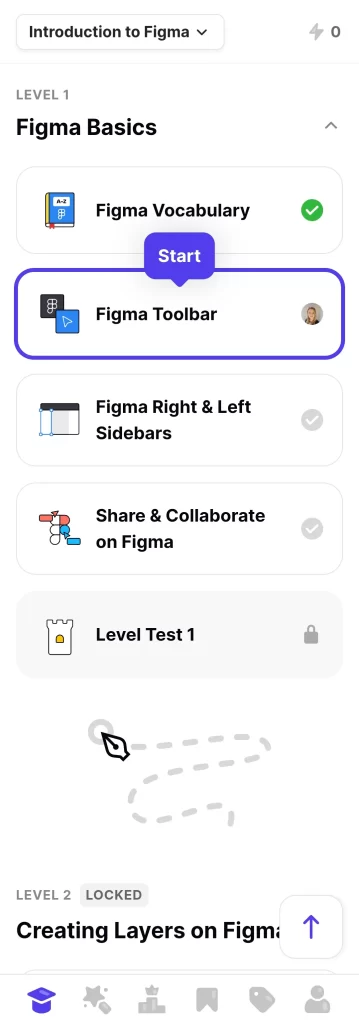
Uxcel is a mobile and web based app that helps you learn the foundations of design. They have a range of different courses covering everything from Color Theory to UX Writing and everything in between. While not the whole course is accessible on their Free model, the app still has tons of other very useful tools inside such as:
- Job Board and Salary Explorer
- Career Paths to know what courses to take for different careers
- Design Briefs to practice your skills on real projects
- Showcase to see what others are working on
- Design Games in their cool arcade area
- …..and more.
If I were to start over, this would be one of the first places that I started. If you can afford it, the Pro plan will offer you way more opportunities sitewide than the free plan such as certificates of completion after you have finished specific courses. Its worth the investment for the certificates, but if you can’t afford it at the moment, get in there and check out what you can access. Its worth it!
You can check out Uxcel here.
Designer Daily Report
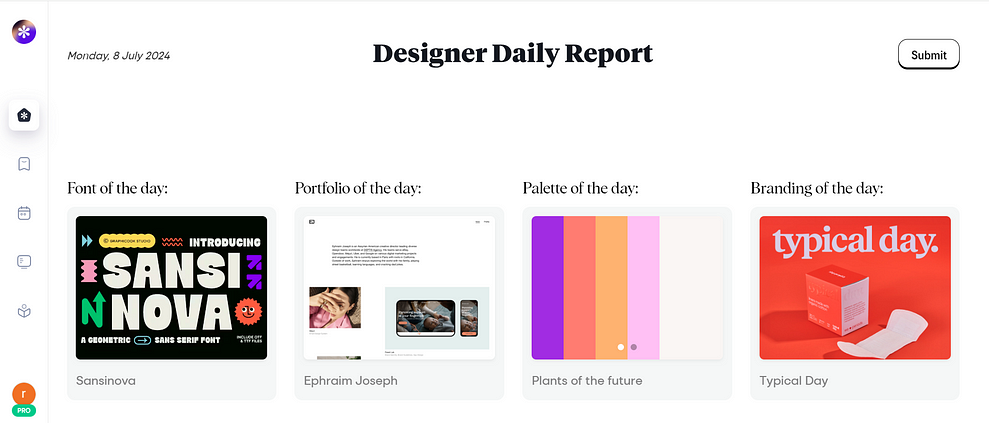
Designer Daily Report is a Chrome plugin that will open up a new tab each day with curated content that’s all about design. You can also access the website via your browser, but unfortunately it’s not optimized for mobile.
I have learned so much from Designer Daily Report just from the content that they provide. Not to mention all the different cool companies I’ve discovered that I never would’ve known about if it wasn’t for that new tab that appeared every day.
Designer Daily is not just limited to UX/UI design either! The page that opens includes templates for Webflow, cool finds on Envato, job listings, cool apps, and plenty of inspiration to go around for all different types of design. If you want to go deeper into the site, it also contains an rss reader so you can read the latest from the best design publications out there or you can check out the library for resources for your next design!
One of my favorite features however is the ability to bookmark your favorite content from each day in your own space within the site. Say goodbye to having clogged bookmarks that you have no idea what they are anymore. Designer Daily’s bookmarks include a thumbnail so you can see exactly why you saved it the first time around!
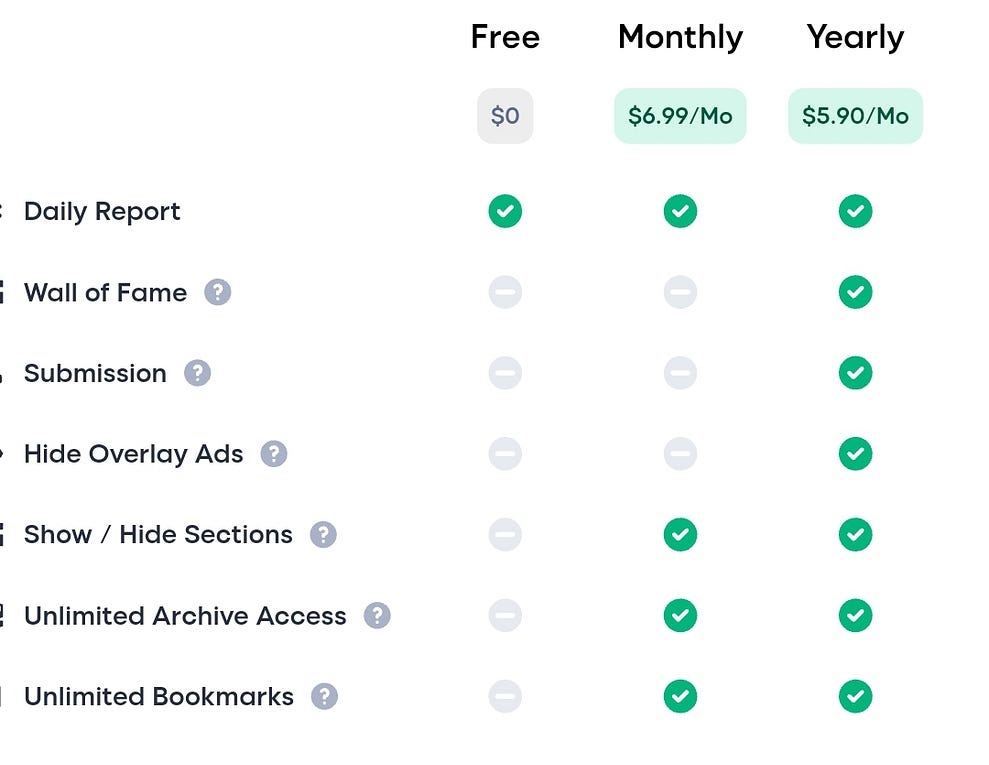
Update on Designer Daily Report: Designer Daily has recently created a “Pro” plan which is the only way to access your older bookmarks. I will say that I’m very disappointed in this decision and almost didn’t include this website because of it.
With that being said, if you would like to try out the Pro plan, they have partnered with WebFlow and are giving viewers 3 months free of Pro access by installing a code onto your WebFlow site. I don’t recall ever seeing anything notifying me that my subscription was expiring, so be wary if about bookmarking within the site if you do not want to pay for the subscription after your free trial is up. More information on installing the code can be found on Designer Daily Reports website. If you do wish to purchase a subscription, you can see their pricing model below.
evernote.design
evernote.design is a clean, easy to navigate resource page built using Evernote for everything you might need relating to graphic design. Make sure you bookmark this page to come back to later because it contains loads of links to different websites in all different areas of design. For example, this resource site had curated sections for things like motion design, icons, fonts, associations, interaction design, illustration, UX/UI, and so much more.
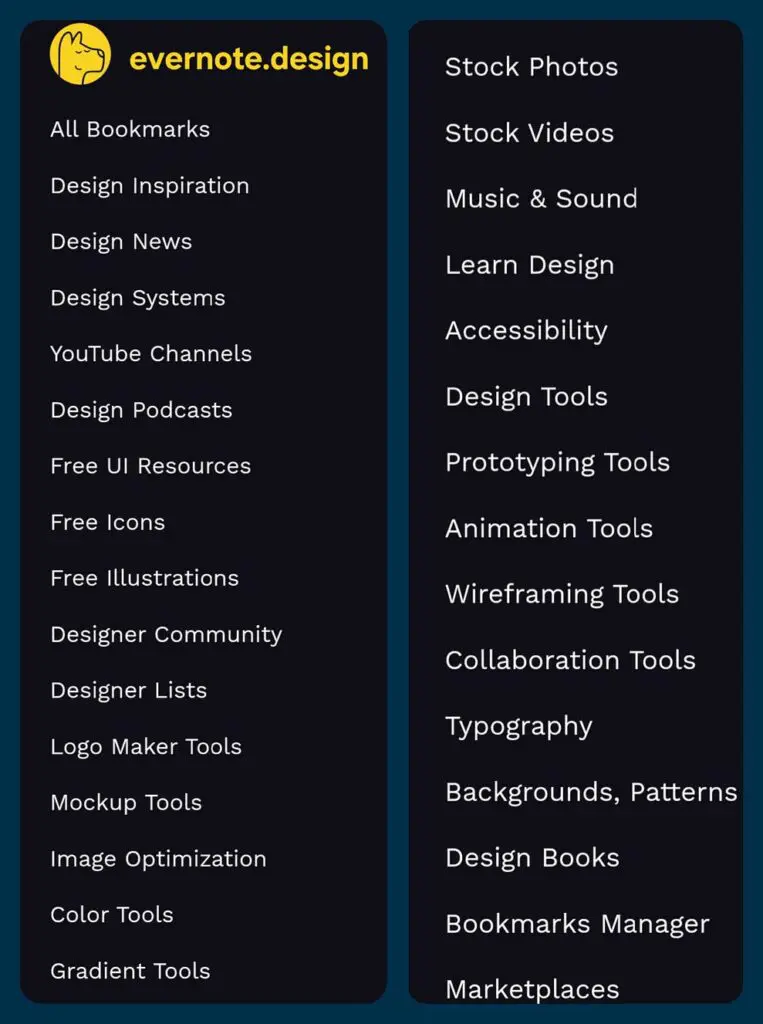
One of the best resources for beginners though is there “Learn Design” section where they have links to different websites that can help you while you are new to the industry. Ive clicked on several of the links listed here and I discovered that many of them are even free!
Lastly, it’s a great resource to find fonts, icons, inspiration, prototypes, or anything else you might need while working on a creative project. So, regardless if you are just getting started or have been in the industry for a while, check out this site and be sure to bookmark it so you can come back to it later!
Freepik
Freepik is a somewhat recently launched website (and I just discovered that they have an app for your phone now too!) for sourcing graphics, icons, stock photos, mockups, templates, and more. Recently, they have added ai images, an online mockup generator (which is super easy to use), and a few other items. While the freemium model limits you to 3 free downloads a day for graphics, it’s such a valuable tool. Personally, this is my go to when I need icons or a clean looking mockup these days.
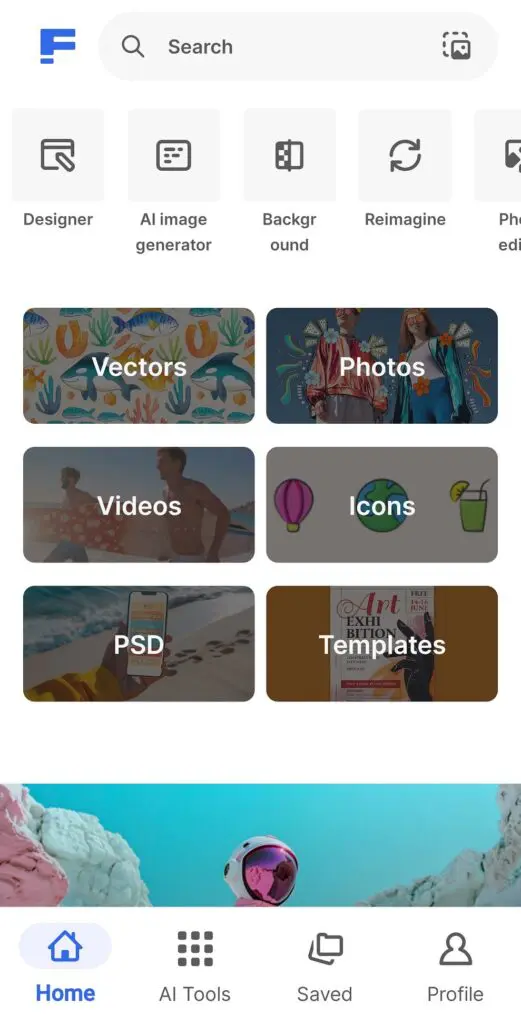
Another great thing about Freepik is their sister site Storyset. Storyset contains multiple different styles of action related graphics in a variety of different industries. You can download both a static and an animated version, and you choose what’s animated on it! The static files are available on both .png and .svg formats and you can select your brand color right there on their site before you download it! Lastly, there is no daily limit on how many you can download from Storyset in one day, which is probably why it’s my number one resource for sourcing graphics.

It’s important to note that if you don’t pay for the Freepik subscription, you will need to site your source every time you use a resource from Freepik, Storyset or any of their other sister sites.
Last but not least is…
Degreeless Desgin
Degreeless Design is exactly what it sounds like, they help you find the resources to become a designer without going to college. I love how they have broken the content up into sizeable chunks. They also placed the information strategically on their site in the order they believe is best for you to learn it. And as someone who is a degreeless designer, I very much appreciate the way they laid out the info on their site. It’s helped me to understand where I am currently and where I need to be to become the designer I want to be.
So, if you aren’t sure what order to study design in, pop over to Degreeless Design and check out their recommendation!
There are plenty more amazing free resources out there (and more being published daily!) These are just the top 5 I have found to be the most useful while learning design. So far, I personally haven’t spent a dime on learning UX design, however I did get some books for Christmas and have borrowed some from Kindle.
With that being said, you can absolutely become a UX/UI designer without going to college and without taking an expensive course. However, learning this way is not easy whatsoever. There is no structure and you have to have self-discipline if you want to make it. And remember, it’s much more difficult to find mentors when you aren’t working with a school or course program. However, if you do decide to try it the same way I am, just know I’m rooting for you!
P.S. You can visit my creative agency and see how I’ve been doing here.
If you liked this post be sure to subscribe/follow to my page for more tips, resources, and adventures from me.
Want to learn more about me? Check out my website or follow me on social media 👇🏼
Instagram: @reddsadventure
X: @redd2995
Linked In: Click Here
Medium: @reddsadventure
I’m currently planning my dream trip: backpacking through Europe! 🛫🗼 If you found this post helpful, consider buying me a coffee to help me cross everything off my bucket list and then tell you guys all about it!

